An AI that makes sure you never miss an important email
Gravel reads the mail you connect, texts you about what needs you, drafts the reply and nudges you when someone hasn't answered.
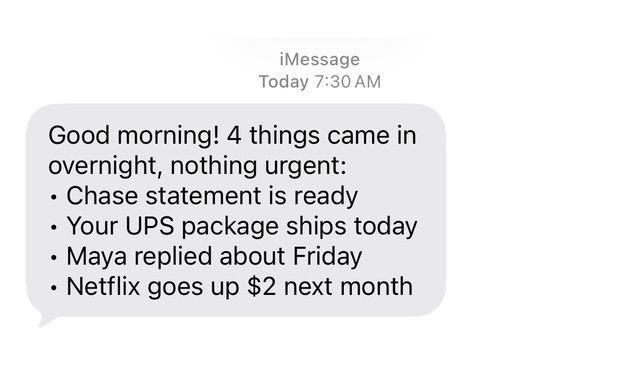
- GravelGood morning! 4 things came in overnight, nothing urgent: • Chase statement is ready • Your UPS package ships today • Maya replied about Friday • Netflix goes up $2 next month
How can an AI assistant make sure I never miss an important email?
Gravel reads the email you connect, texts you first about what needs you, and saves the rest for a short morning brief. No assistant catches everything, so Gravel leans toward telling you when something looks urgent.
The mail worth a text is the urgent kind, the kind with a deadline and the kind where a person is waiting on you. Everything else that can wait arrives together in the morning, like the example brief above: a statement is ready, a package ships today, Maya replied about Friday.
What does Gravel do when someone is waiting on me?
It reads the message, drafts a reply and asks before sending. Here is the exchange from the home-page demo, an example conversation:
Gravel: Your landlord needs the lease renewal back by Friday. I drafted a reply:
Gravel: “Hi Dana, signed copy attached. Happy to renew for another twelve months. Thanks!”
Gravel: Send it from your Gmail?
You: send
Gravel: Sent. I’ll nudge you if Dana hasn’t replied by Wednesday.
You get the deadline, the draft and the question in one place. The reply goes out from your own mailbox, not from a Gravel address.
How does Gravel follow up when I'm waiting on a reply?
It keeps watching the thread after you send. In the demo it says: “I’ll nudge you if Dana hasn’t replied by Wednesday.” If Dana has not replied by then, you get a text.
It works the other way too. When someone who matters to you writes, or a message plainly asks you for something, and you have not answered after about two business days, Gravel nudges you. Lower-priority mail waits in the morning brief.
Before any nudge goes out, Gravel reads the thread again. If you have already replied, or the other person has, the nudge is dropped.
Can Gravel write replies in my voice?
Yes. When you connect, Gravel looks at your sent mail to learn how you write: how you greet people, how you sign off, how long you go, how formal you are and whether you use emoji. That becomes a style note you can see in your memory and delete. Delete it and Gravel stops adapting to your voice.
Every draft is shown to you in full before it is sent, so you approve the exact text.
What stays in my control?
By default, Gravel does not send an email until you say send. Drafts come to you first, and you see the exact words. For each kind of action you pick one of four levels: just do it, only when I ask, ask me first, or hand it to me. It starts read-only.
Emails are content, not commands. A message that tries to give Gravel instructions does not get acted on and never counts as urgent. Text “pause” and all background work stops.
What does Gravel need access to?
Your mailbox. Gravel reads Gmail and Outlook (you sign in with Google or Microsoft), plus iCloud Mail, GMX, WEB.DE, T-Online, freenet, mailbox.org, Posteo and other IMAP mailboxes with an app password. See integrations.
It starts read-only. The first time an action needs more access, like sending a reply from your mailbox, Gravel asks for it and comes back to you with the confirmation. Your data is encrypted with a key that belongs to your account only, and Gravel does not train AI models on it. For the longer guide, read how to stop missing important emails.
These example conversations were recorded in Apple's Messages app. During early access Gravel works in WhatsApp and Telegram, and iMessage is coming. Gravel costs €12 a month.
Questions
Does Gravel read all my email?
It reads the mailbox you connect to notice what needs you. Your data is encrypted with a key that belongs to your account only, it is hosted and processed in the EU, and Gravel does not train AI models on it.
Will Gravel send emails without asking me?
Not by default. Gravel shows you the draft and sends it from your own mailbox when you say send. For each kind of action you pick one of four levels.
How does Gravel know someone hasn't replied?
It watches the thread. Before a nudge goes out, it reads the thread again, and if the reply has come, the nudge is dropped.
Which email providers does Gravel work with?
Gmail and Outlook, where you sign in with Google or Microsoft. iCloud Mail, GMX, WEB.DE, T-Online, freenet, mailbox.org, Posteo and other IMAP mailboxes work with an app password.
Will Gravel text me about every email?
No. It keeps quiet hours, sends at most a few unprompted messages a day, and saves anything that can wait for a short morning brief.
Keep reading
Updated
Hand Gravel
the small stuff.
We’re opening Gravel in small groups. Leave your email and we’ll let you know when it’s your turn.